Trader Portal
Traders get their own dedicated web portal a fully independent application designed for effortless, browser-based trading. Say goodbye to old desktop software, installation headaches, and configuration issues. With OMTrader, there’s nothing to install—just log in and start trading from any device.
Thanks to our multi-account concept, traders can manage multiple accounts for a single client. Switching between different balances, wallets, or currencies is as simple as a click.
OMTrader’s intuitive, user-friendly interface makes trading smooth, easy, and enjoyable. Welcome to the future of trading!
TradingView : Advanced Charting
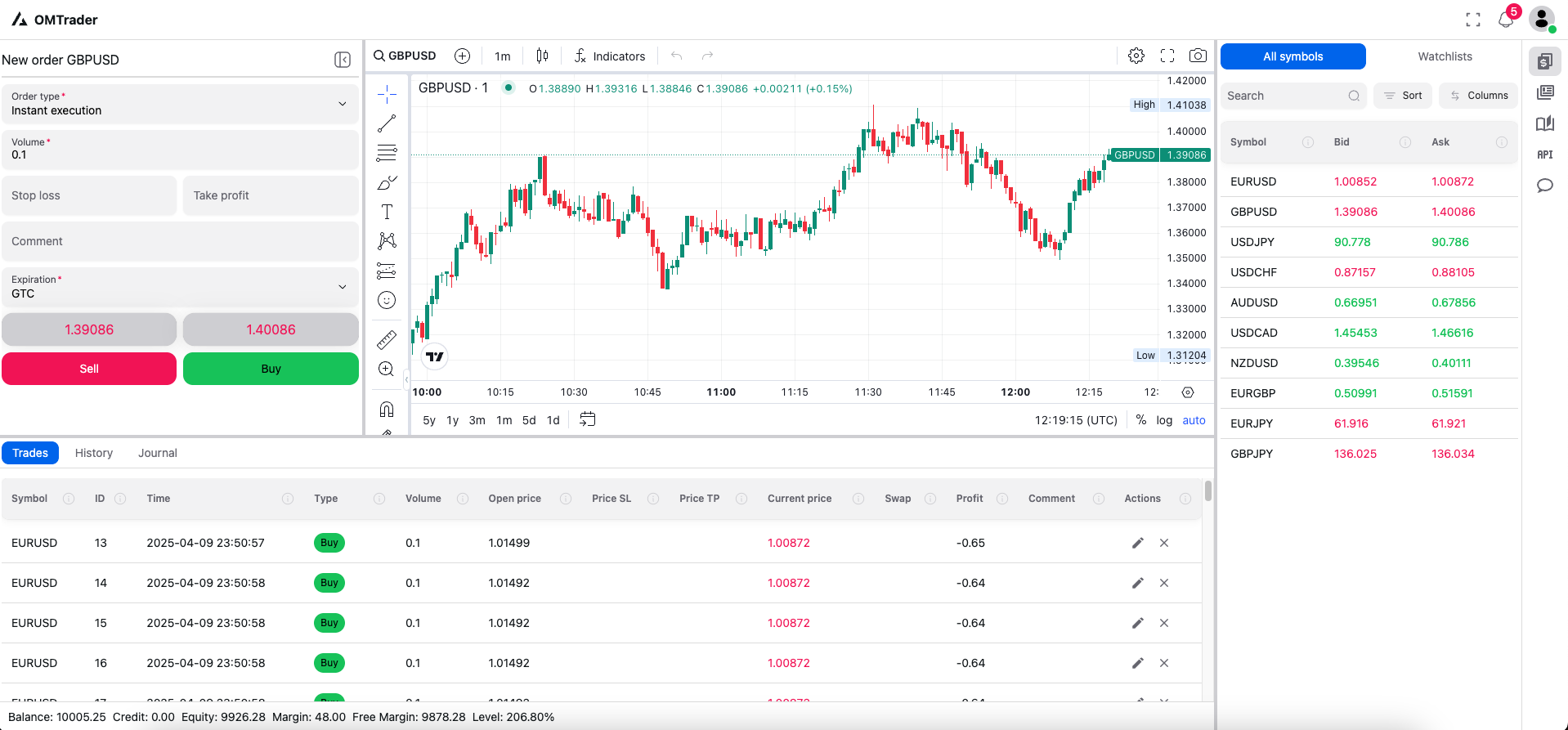
Experience real-time price movements with state-of-the-art TradingView charts, fully integrated into OMTrader. Customize your charts using a wide range of built-in tools—tailor your charting setup to match your trading style, all in one place.
Market Watch: Real-Time at a Glance
The first thing you’ll see is the Market Watch widget, conveniently located on the left side of the screen. It streams live bid and ask prices for all your configured instruments—directly from your data feed provider. Traders can monitor real-time price movements instantly, with updates as fast as your internet connection allows.
Personalized Watch-Lists
Traders can organize their favorite instruments into custom watch-lists for quick, focused monitoring—no limits on how many lists you create! Manage your watch-lists easily: add, update, or delete them anytime, all within your personal settings. Stay in control and keep an eye on the symbols that matter most to you.
Swicth Accounts
Seamless Multi-Account Management
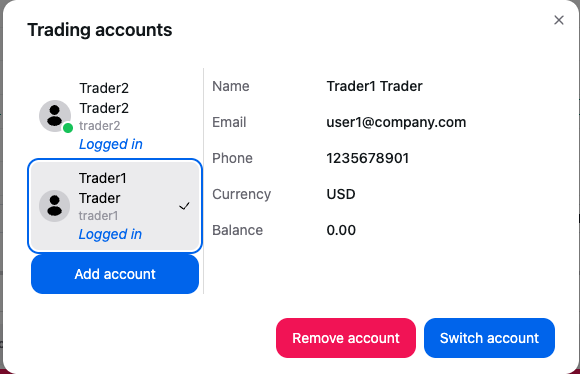
With manager permissions, traders can have multiple accounts under one login. Switching between accounts is easy—just a click from the user settings menu. This powerful feature gives traders full control over their balances, wallets, and personalized trading setups—all in one place!
Order Execution Made Easy
Traders can place orders based on the permissions set by their dealer or manager. Market orders, pending orders (buy limit, sell limit, and more) are all supported—giving you full control based on your group and symbol configurations.
The order screen stays open until you choose to close it, enabling fast, responsive order placement as market prices move. Stay quick, stay ahead!
Trades
Live Trade Monitoring
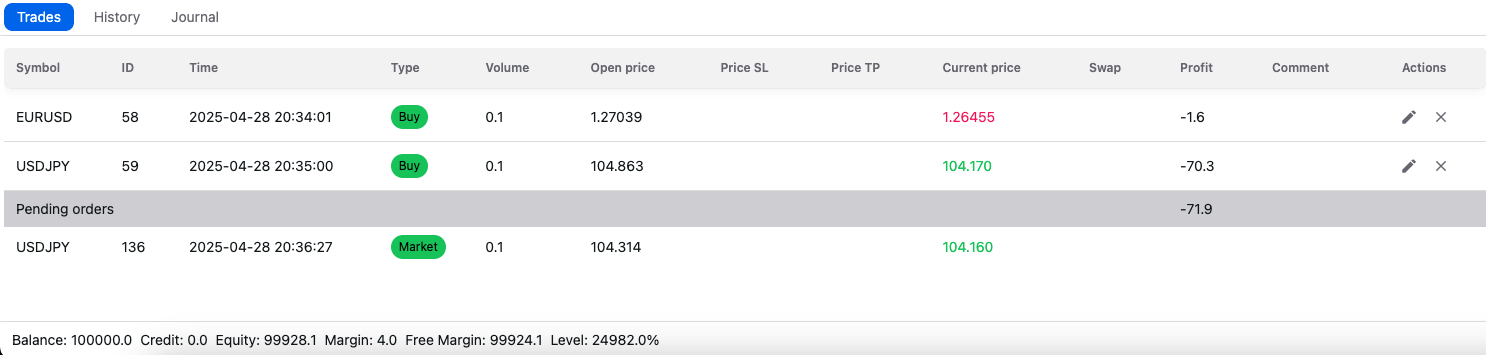
The Trader Panel displays all active trades and positions in real time, including current profit and loss. Traders can monitor their positions closely and close them anytime with a simple action.
When dealing is enabled for an account or group, new orders are placed as pending until the manager approves them—either at the same bid/ask price or with a trader confirmation if the price has changed. Stay informed, stay in control!
History
Full Trading History at Your Fingertips
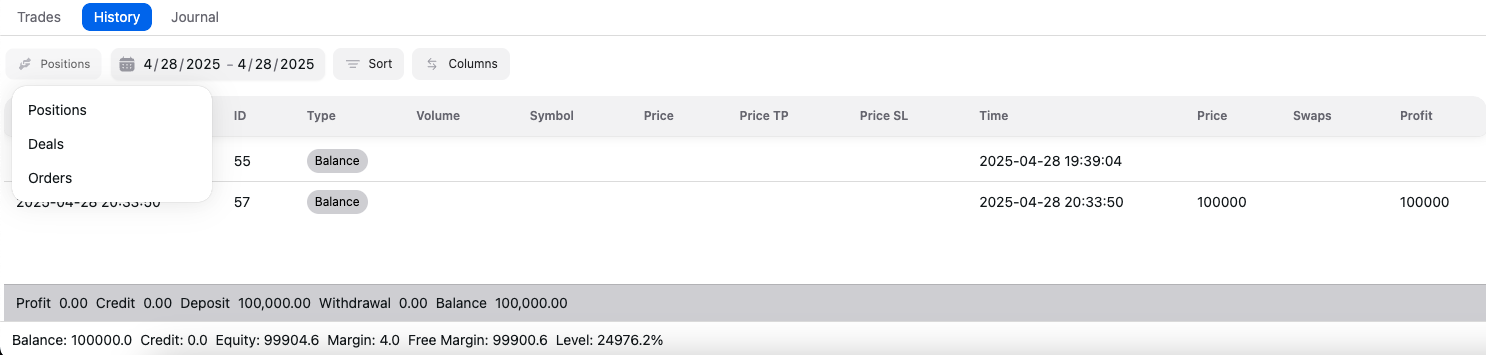
The History Panel gives traders a complete view of all past transactions—positions, orders, and deals. Easily filter by type or select a custom date range to find exactly what you’re looking for. Track your trading journey with clarity and confidence!